
What exactly is Urlwo, and why is it appearing in your search results? You’ve likely encountered shortened links online, and Urlwo presents itself as one of many free URL shortening services designed to create compact, manageable web addresses. However, unlike mainstream shorteners, Urlwo often surfaces in discussions with cautionary notes, highlighting the critical need to understand how to differentiate between legitimate link management and potential online risks. This guide demystifies Urlwo by examining its common uses, the inherent risks of any shortened link, and providing you with a clear, actionable framework for safe browsing.
Demystifying Urlwo: A Common URL Shortening Service
URL shorteners like Urlwo serve a basic technical function: they take a long, complex web address and generate a much shorter, often custom alias that redirects to the original destination.
The Stated Purpose and Common Appearances
In principle, Urlwo and similar tools (like Bitly, TinyURL, or Ow.ly) are used for:
- Space Conservation: Creating neat links for social media posts, SMS messages, or printed materials where character count is limited.
- Link Management: Some services offer analytics, allowing creators to track how many people click a link.
- Aesthetic Cleanup: Turning a messy affiliate link with numerous parameters into a simpler, cleaner URL.
You might encounter a Urlwo link (Urlwo.com/abc123) in forum signatures, comment sections, social media posts, or even some email campaigns. Therefore, its presence alone is not an automatic red flag, but it is a signal to proceed with informed caution.
The Universal Risk of Shortened URLs: Why Caution is Essential
The core security challenge with any URL shortening service, including Urlwo, is obfuscation. You cannot see the final destination before clicking. This inherent feature is exploited for both mundane and malicious purposes.
Primary Risk 1: Phishing and Malware Distribution
This is the most significant threat. Cybercriminals use shorteners to:
- Hide Phishing Links: A link showing Urlwo.com/secure-login could redirect to a flawless but fake copy of your bank’s website, designed to steal your credentials.
- Deliver Malware: The link might point to a site that automatically downloads malicious software or scripts onto your device.
Primary Risk 2: Spam and Unwanted Content
Shortened links are a common tool in spam campaigns, leading users to:
- Advertisement-laden pages or aggressive pop-up farms.
- Unrelated affiliate marketing sites or low-quality content.
- Inappropriate or explicit material not suggested by the context of the link.
The Challenge of Legitimate Use
It’s crucial to recognize that many individuals and small businesses may use free services like Urlwo for harmless, legitimate purposes—sharing a blog post, a product page, or a document. The dilemma for you, the user, is the impossibility of visually distinguishing a safe shortened link from a dangerous one.
Your Action Plan: How to Safely Handle a Urlwo Link (or Any Shortened URL)
You do not need to avoid every shortened link, but you must interact with them using a security-first protocol. Follow these steps before clicking.
Step 1: Apply Contextual Scrutiny
Evaluate the source. Where did you find the link?
- Trusted Source: Is it from a verified organization or a person you know and trust directly?
- Unverified Source: Is it in a comment from a stranger, a random forum post, or an unsolicited message? Extreme caution is required here.
- Suspicious Promise: Does the accompanying text use urgent language, offer something too good to be true, or create a sense of fear or curiosity? This is a major warning sign.
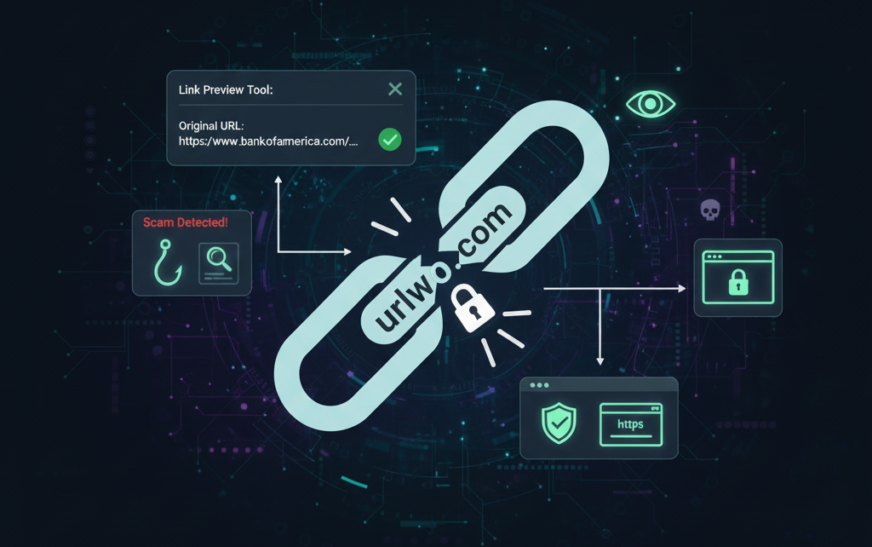
Step 2: Use a Link Expander or Preview Tool
Never click a shortened link to “see where it goes.” Instead, use a safe intermediary tool:
- Browser Extensions: Install reputable security extensions (often from your antivirus provider) that automatically check and preview shortened URLs.
- Web-Based Preview Services: Use sites like CheckShortURL.com or URLExpander.com. Paste the Urlwo.com/… link into these sites. They will typically show you the long, final destination URL without forcing you to visit it directly, allowing you to inspect the real address.
Step 3: Inspect the Final Destination URL
Once you have the expanded URL, examine it carefully:
- Check the Domain Name: Look for misspellings of popular sites (e.g., arnazon.com instead of amazon.com).
- Look for HTTPS: Legitimate sites handling any sensitive data should use https:// (note the “s”). A site with only http:// is less secure.
- Be Wary of Strange Characters: Look for excessive subdomains or odd strings of characters in the address.
Step 4: Deploy Technical Safeguards
Make your general browsing environment more resilient:
- Use a Robust Antivirus/Anti-Malware Suite: Ensure real-time web protection is enabled. It can often block known malicious destinations.
- Keep Software Updated: This includes your browser, operating system, and all security software. Updates patch vulnerabilities that malware might exploit.
- Consider a VPN for Added Privacy: A reputable Virtual Private Network can add a layer of privacy, though it does not replace the need for link scrutiny.
Conclusion: Empowerment Through Informed Caution
Navigating a tool like Urlwo is less about the specific service and more about understanding a common vector of online risk. The key takeaway is not to live in fear of shortened links, but to develop a simple, habitual practice of pausing and verifying before you click.
Treat every shortened URL whether from Urlwo, Bitly, or any other service as a sealed package. You wouldn’t open a mysterious package delivered to your doorstep; apply the same principle online. Use preview tools to “see through” the wrapping, assess the sender’s credibility, and ensure your digital defenses are active.
By adopting this mindful approach, you transform from a passive target into an active, informed participant in your own cybersecurity. You can leverage the convenience of link shorteners when appropriate while confidently avoiding the traps set by those who abuse them.