
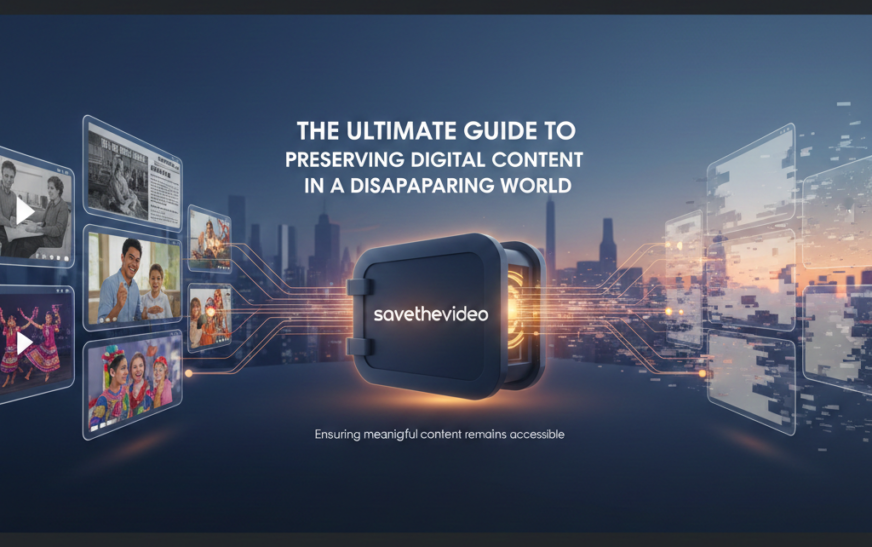
In our digitally saturated age, we consume video content at an unprecedented rate. From educational tutorials and historic news clips to personal memories and cultural moments, videos form a significant part of our digital experience. However, this content exists in a paradox: while seemingly permanent in its abundance, it remains vulnerable to sudden disappearance. Videos are routinely removed due to copyright claims, platform policy changes, account deletions, or simply because creators decide to take them down. This reality has given rise to tools and services designed to preserve digital content, with savethevideo emerging as both a specific utility and a universal plea. This comprehensive guide explores the why, how, and ethical considerations behind saving online videos, ensuring that meaningful content remains accessible long after it vanishes from its original source.
Understanding the savethevideo Phenomenon
At its core, savethevideo represents a response to the transient architecture of the modern internet. Unlike physical media, digital content hosted on third-party platforms does not belong to the viewer. Your carefully curated playlist, that invaluable lecture series, or the obscure documentary you reference frequently could evaporate overnight. This impermanence creates a legitimate need for preservation.
Furthermore, internet connectivity remains inconsistent globally. Users in areas with poor bandwidth or costly data plans benefit enormously from downloading videos during periods of good connectivity for offline viewing later. Educators compiling resources for classrooms, researchers gathering data, and individuals seeking to archive family memories uploaded to social media all contribute to the growing demand for reliable video-saving solutions. Consequently, tools that facilitate this, whether bearing the name savethevideo or functioning under a different moniker have become integral to how many people interact with digital media.
Ethical and Legal Landscape: Navigating the Gray Areas
Before delving into methods, a critical discussion of ethics and legality is paramount. The act of saving a video sits in a complex gray area, heavily dependent on context, purpose, and jurisdiction.
Copyright and Fair Use: It is crucial to understand that most online videos are protected by copyright. Downloading content you do not own for redistribution, commercial use, or to bypass the creator’s revenue model (like ads on YouTube) is generally illegal and unethical. However, exceptions exist under doctrines like “fair use” (in the United States) or “fair dealing” (in other countries). These allow limited use of copyrighted material without permission for purposes such as criticism, commentary, news reporting, teaching, and research. Saving a video for personal, offline educational use often falls into a more defensible ethical space, especially if the content is not otherwise commercially available.
The Creator’s Perspective: From a creator’s standpoint, views, watch time, and platform engagement are often tied to income and career growth. Indiscriminately downloading content, thereby removing views from the original platform, can directly harm creators. Therefore, the ethical approach is to use download tools primarily for content you have a legitimate right or need to preserve such as your own creations, content explicitly licensed for download, or material used within clear fair use guidelines for a specific project.
Platform Terms of Service: Additionally, most social media and video hosting platforms explicitly prohibit downloading content in their Terms of Service, unless they provide an official download button. Violating these terms can result in account suspension. Thus, the decision to save a video must be weighed against these multifaceted considerations.
How savethevideo and Similar Tools Work
Technically, video-downloading tools operate by locating the video file hosted on a platform’s server and retrieving it for the user. When you watch a video online, your browser streams it by downloading small chunks temporarily. Downloader tools essentially consolidate this process into a single, permanent file.
Common Methods Include:
- Online Web Services : These are websites where you paste the URL of the video page. Their backend servers fetch the video and provide a download link. They are convenient but often come with ads, bandwidth limits, and potential privacy concerns, as you are sending the URL through a third party.
- Browser Extensions: Add-ons for browsers like Chrome or Firefox can add a download button directly below a video. While convenient, they require careful vetting for security and often have permissions to read your browsing data.
- Desktop Software: Dedicated applications installed on your computer offer robust features, including batch downloads, format conversions, and higher speed. They tend to be more reliable and secure than online tools but require installation.
- Command-Line Tools: For advanced users, tools like youtube-dl offer powerful, scriptable ways to download videos from hundreds of sites. They are free, open-source, and highly respected within the tech community.
The hypothetical tool savethevideo would typically function as a web service or software employing these principles, parsing the video page to find the direct media source.
A Step-by-Step Guide to Responsible Video Archiving
For those with a legitimate need to archive videos, following a responsible methodology is key.
Step 1: Evaluate Your Purpose
Ask yourself: Do I have the right to download this? Is it for personal archival, fair use, or is the content publicly licensed? Am I harming the creator? Starting with clear intent establishes an ethical foundation.
Step 2: Check for Official Options
Always look first for an official download link. Many educational platforms, creators on Patreon, or websites like Internet Archive provide direct downloads. YouTube Premium offers an official “offline” feature within its app.
Step 3: Choose a Safe Tool
If no official option exists, select a reputable tool. Research is essential; look for reviews, check privacy policies, and prefer open-source software where possible. Avoid tools that demand excessive permissions or bundle adware.
Step 4: Execute the Download
The process is usually straightforward:
- Copy the video’s URL from your browser’s address bar.
- Paste it into the designated field on the downloader service or software.
- Select your desired format (e.g., MP4 for video, MP3 for audio) and quality.
- Initiate the download and save the file to an organized folder on your device or external storage.
Step 5: Organize and Preserve
Merely downloading files leads to digital clutter. Implement an organization system: use clear filenames, sort into folders by topic or project, and consider maintaining a simple spreadsheet index. For long-term preservation, remember the 3-2-1 backup rule: keep three copies of your data, on two different media types, with one copy stored offsite (like a cloud service).
The Broader Implications: Digital Preservation as a Cultural Duty
Beyond personal use, the savethevideo impulse touches on a larger cultural responsibility. The internet’s first decades have already seen massive data loss from deleted GeoCities pages to lost Vine videos. This digital decay erases swaths of contemporary culture, activism, and history.
Grassroots archival projects, often led by volunteers, work tirelessly to scrape and save content from platforms before it vanishes. Libraries and institutions are developing protocols for preserving born-digital materials. In this context, the careful, ethical archiving of significant video content—speeches, protests, unique artistic performances, documentation of historical events—transitions from a casual act into a form of digital citizenship. It is a recognition that the platforms hosting our collective memory are not infallible libraries but often ephemeral stages.
Future-Proofing Your Saved Content
A file saved today may not be playable in a decade. Codecs evolve, and containers become obsolete. To truly future-proof your archive:
- Use Open, Standard Formats: Prefer widely adopted formats like MP4 (with H.264 video) and MP3 for maximum compatibility.
- Maintain Metadata: Preserve original titles, descriptions, upload dates, and URLs in a separate document.
- Regularly Migrate Data: Plan to transfer your archive to new storage media every few years to prevent bit rot and hardware failure.
Conclusion: Balancing Convenience, Ethics, and Preservation
In conclusion, the concept of savethevideo encapsulates a modern dilemma: navigating the desire for access and permanence in a digital ecosystem built on streaming and transience. While tools that enable video downloading provide practical solutions for offline viewing, education, and personal archiving, they must be used with deliberate ethical consideration. The rights of creators, the boundaries of copyright, and the terms of service of platforms create a framework that responsible users will acknowledge.
Ultimately, the act of saving a video is most meaningful when performed with purpose to safeguard a personal memory, to further legitimate research, or to contribute to the preservation of our fragile digital heritage. As we move forward, cultivating a mindset of conscientious archiving, coupled with support for creators and respect for intellectual property, will allow us to build a more durable and accessible digital world. The key is to remember that behind every video is a creator, and behind every download should be a thoughtful reason.